Free · Windows
News Advisor
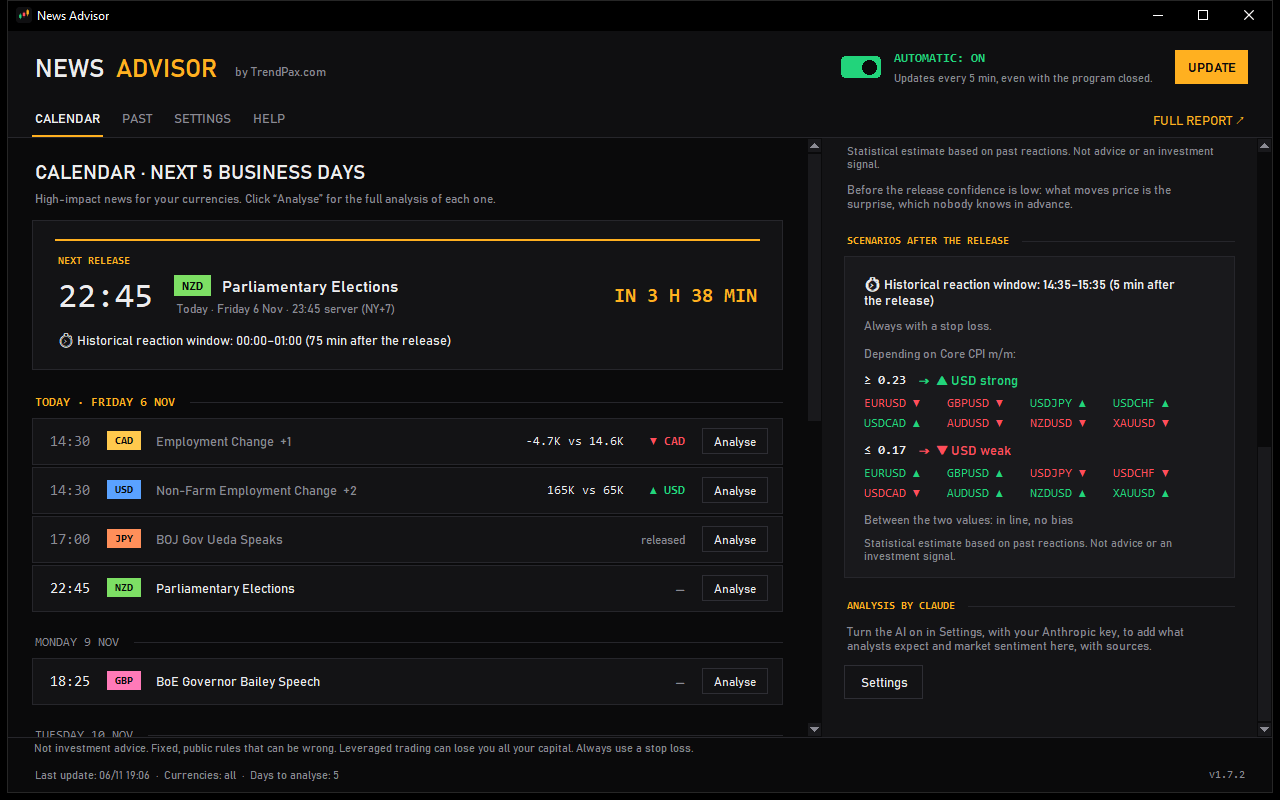
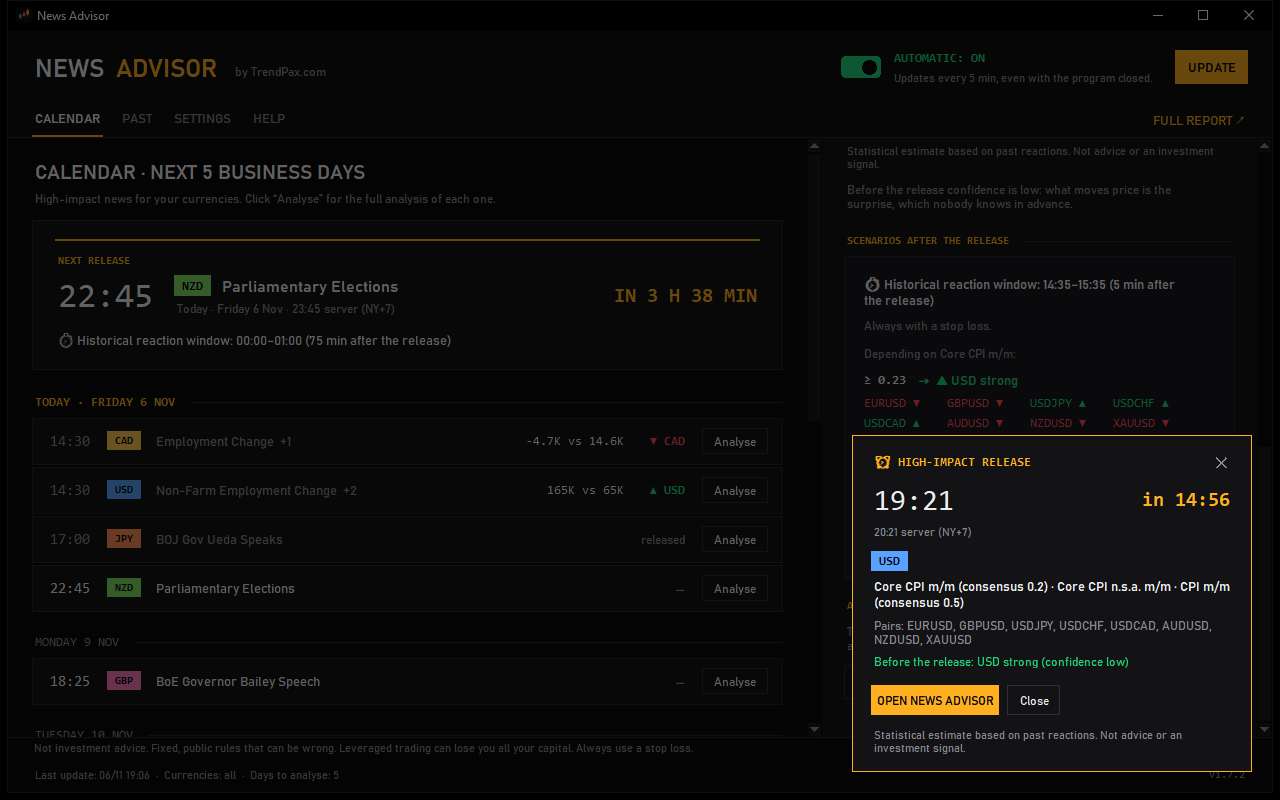
A free Windows program that alerts you before every high-impact news release and shows the estimated bias of the major currencies around it.
What it does
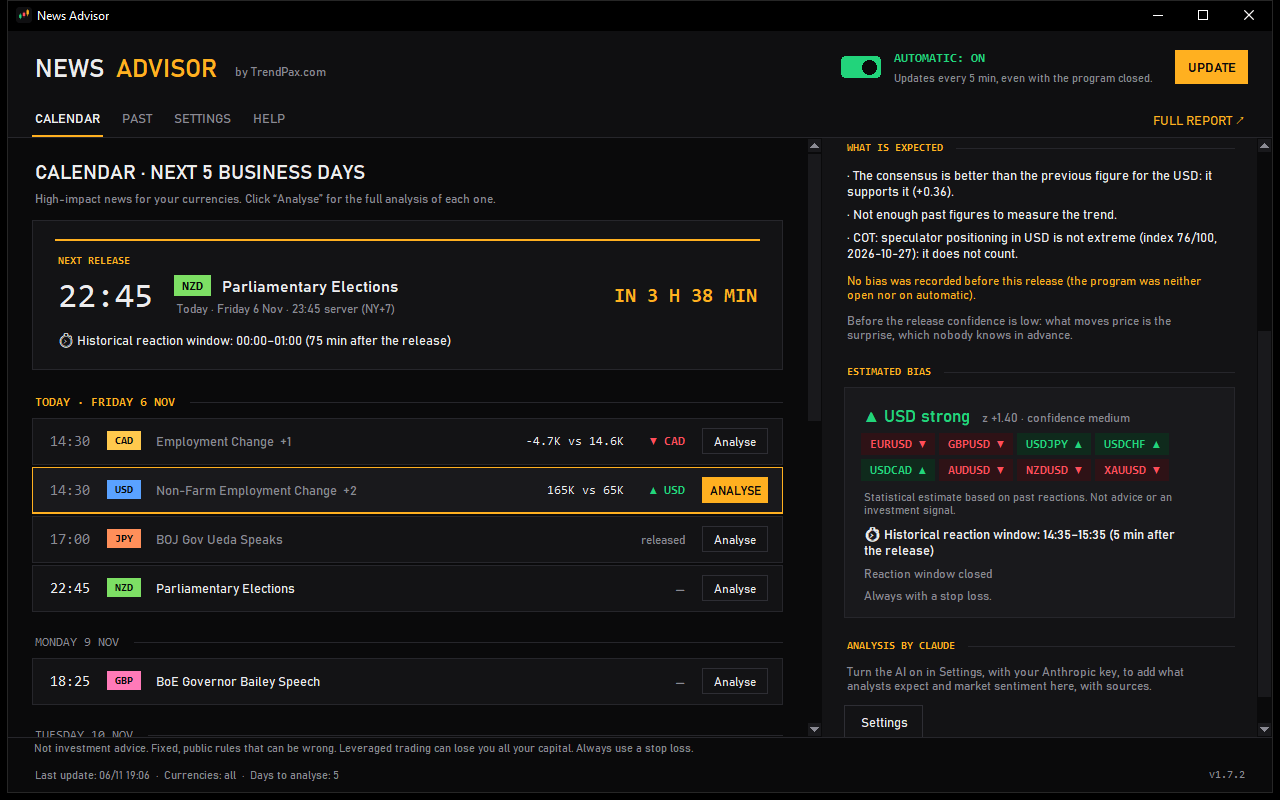
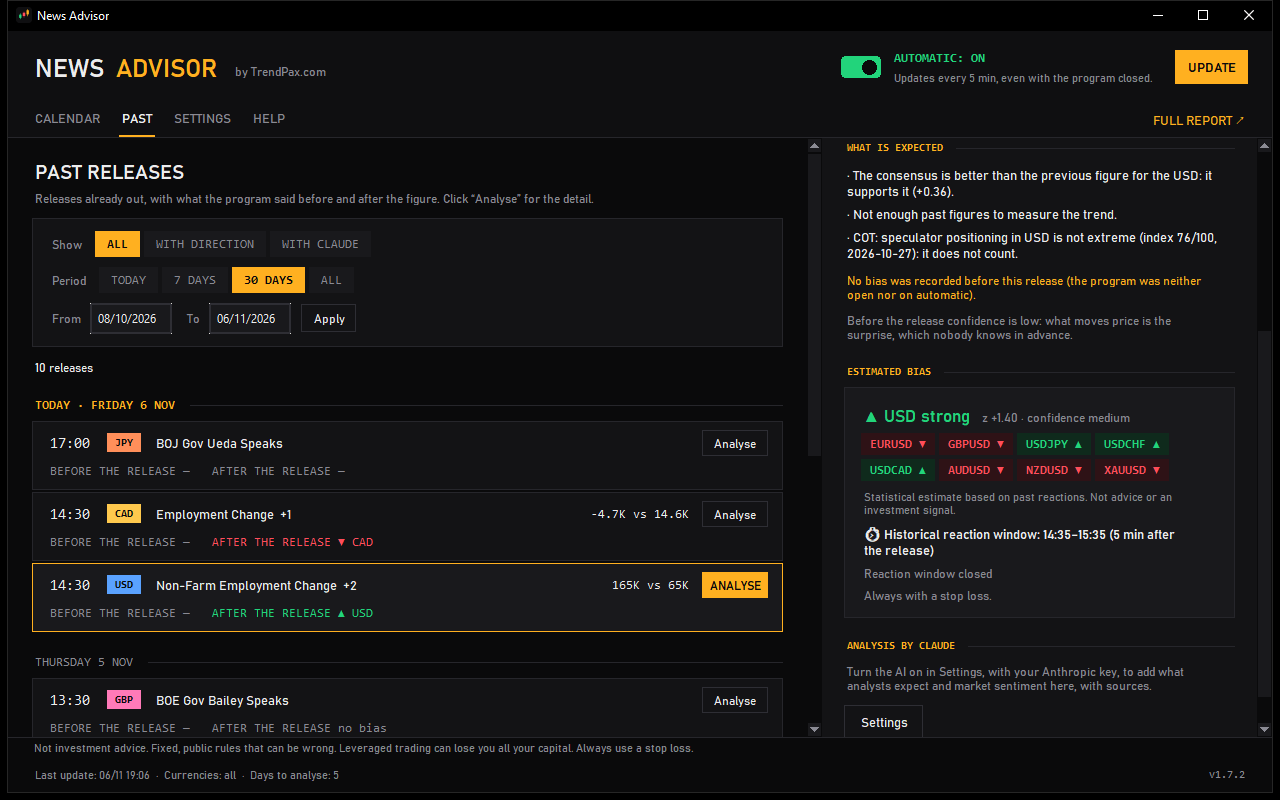
- Shows the estimated bias of the major currencies around each high-impact news release, based on fixed rules and historical data.
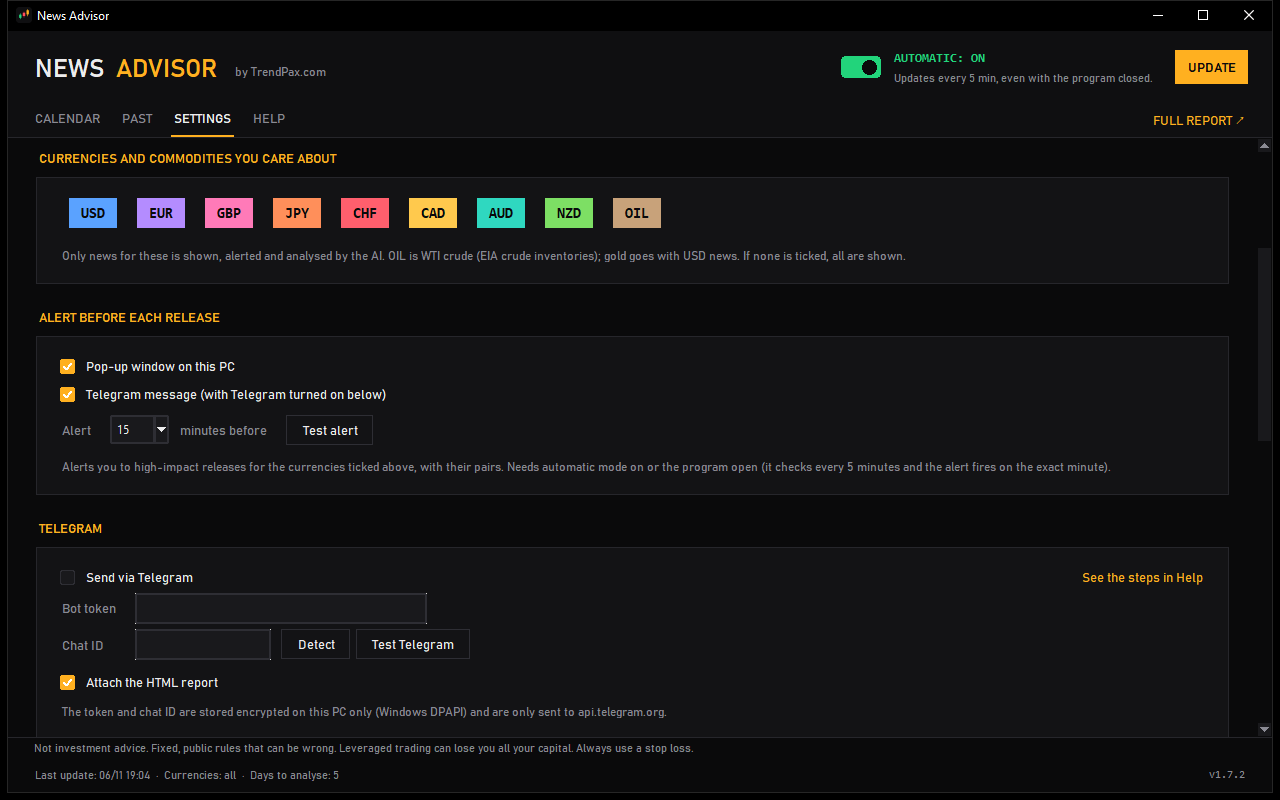
- Alerts you a few minutes before each high-impact news release (you choose how many).
- The alert arrives as a popup on your PC, as a message from your own Telegram bot, or both.
The bias is an indicative estimate, not a trading signal or a recommendation.
Requirements
- A Windows computer with an internet connection.
- A free TrendPax account.
- A News Advisor licence, also free. Each licence can be used on 2 computers.
How to start
- Create a free TrendPax account or sign in with the one you have.
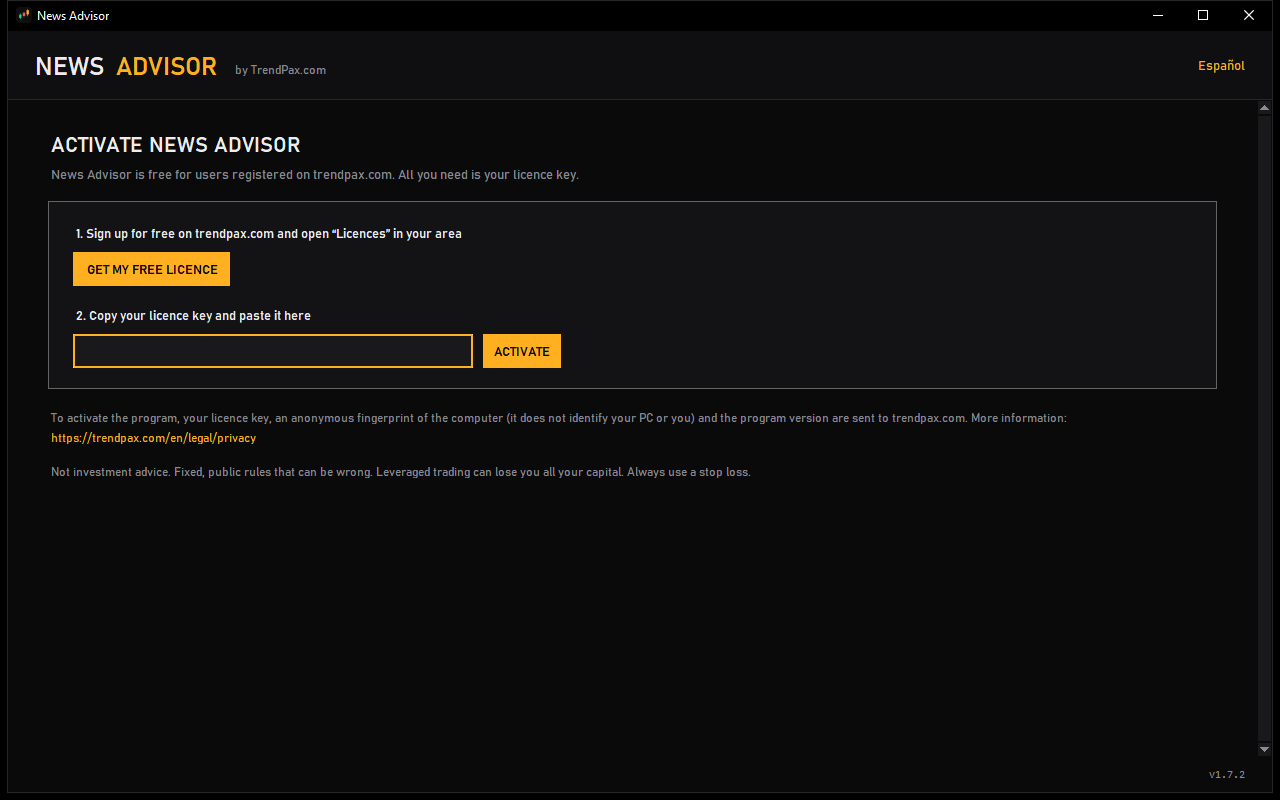
- In Licenses, click “Generate key” for News Advisor and copy the key: it is shown only once.
- Download the program for Windows.
- Install it, open it and paste your key when asked.
The download is on GitHub, where we publish every version of the program.
When you open the installer, Windows may show “Windows protected your PC · Unknown publisher”. It appears because the program is not digitally signed yet. To install it, click “More info” and then “Run anyway”.
If you want to check the file, this is the SHA-256 fingerprint of the version 1.7.2 installer (in PowerShell: Get-FileHash): d793ff76f9ec114155a525aab64a66c64b4002617e8a7906ee2f9738bf32c2b3
If you change computers, regenerate the key in Licenses: the activated computers are released and you enter the new key on the ones you use.
Risk warning. News Advisor is an informational tool and is not investment advice. The bias it shows is an estimate and may not happen. Trading forex, CFDs and other leveraged products carries a high risk of loss and may not be suitable for everyone. Past results do not guarantee future results.